
Activation Lock still on
Find My and iCloud Activation Lock show up before you meet. If it is on and you are buying in person, the seller can turn off Find My and erase the phone in front of you before you pay.
Verify before you buy.
DeviceVera checks iCloud lock, blacklist status, carrier lock, and MDM in seconds — from an iPhone IMEI or a Mac serial — before the money changes hands.
Free to download. Pay per check — 1 credit for Standard, 2 for a GSX audit or Mac check. Packs are $1.99, $6.99, and $19.99. No subscription.
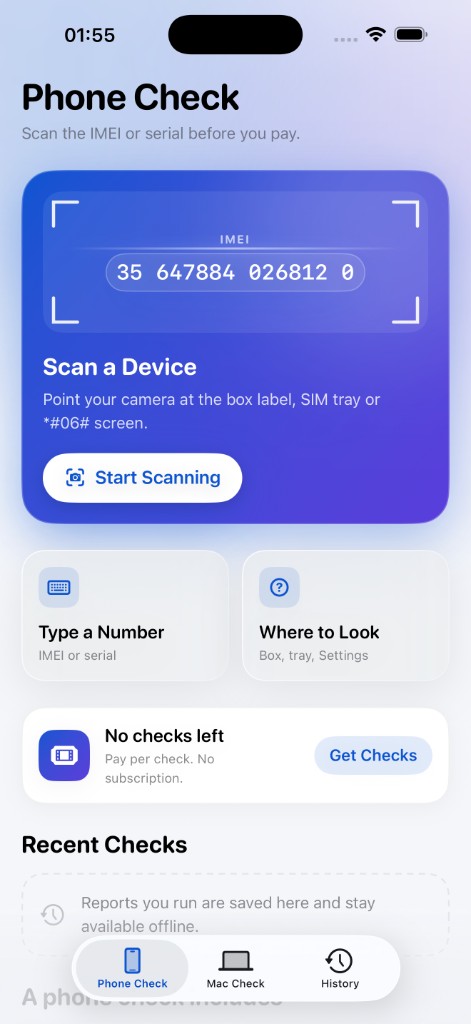
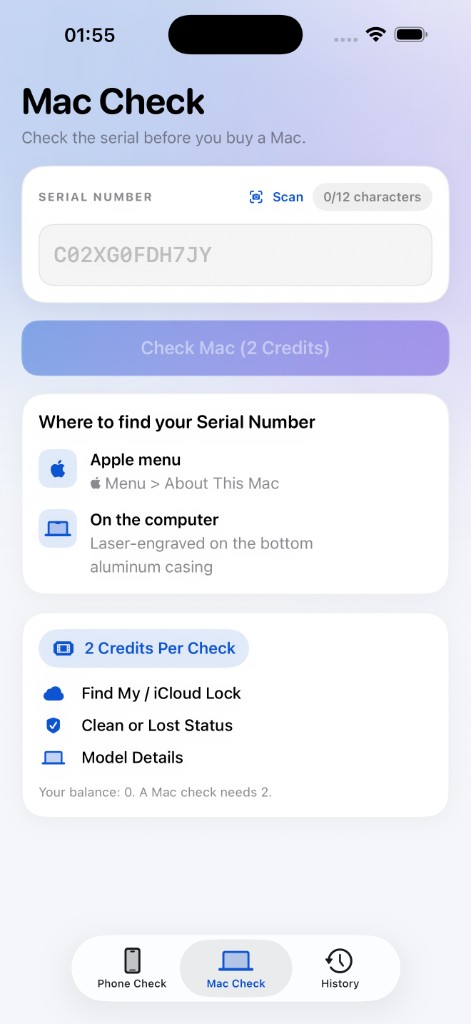
Phone Check
A used phone can look fine and still be locked, blacklisted, or managed by someone else. DeviceVera checks the identifier you scan or type. It does not open the phone or test the screen, battery, or cameras.
Find My and iCloud Activation Lock show up before you meet. If it is on and you are buying in person, the seller can turn off Find My and erase the phone in front of you before you pay.
A blacklist hit can stop the phone from being used on a mobile network. The verdict calls that out as high risk.
A carrier activation policy can limit which network the phone will join. Standard checks include carrier lock status.
A mobile device management profile can mean the phone still belongs to a company. MDM on is a hard stop in the report.
Two phone checks and a Mac check. You spend a credit only when a report comes back.
Standard · 1 credit
See whether Activation Lock is on before you agree a price. iCloud on, without Lost Mode, is something the seller can clear in person.
Standard · 1 credit
The report states whether the identifier is clean or blacklisted. Lost Mode, a blacklist hit, or MDM on is treated as high risk.
SIM lock status, and the locked carrier when the database names one.
Company management profiles that can outlive the person selling the phone.
Find My and iCloud status for a Mac serial number. 2 credits.
Full GSX audit · 2 credits
Adds who sold the iPhone, the country it was bought in, and whether it was replaced. Your Standard result stays saved. A phone check can also include model details and warranty status when the database returns them.
Export a PDF of the same verdict you see on screen, and keep it with the sale.
Run DeviceVera on your own phone. Point it at the device you are about to buy, or type the identifier.
01
Point the camera at the box label, the SIM tray, or the *#06# screen. Or type an IMEI, MEID, or Mac serial.
02
Choose Standard, a Full GSX audit, or a Mac check. A credit is used only if a report is returned.
03
No Issues Found, Review Before Buying, Seller Must Sign Out, or High Risk. Share the PDF certificate before you pay.
The same questions, answered from the identifier instead of the listing.
Activation Lock
You trust the seller’s word that Find My is off.
Activation Lock
iCloud and Find My status are in the report before you meet.
Blacklist
A blacklisted phone can look perfect and still be refused by a carrier.
Blacklist
Blacklist status is checked, and a hit is marked high risk.
Carrier and MDM
You find the lock, or the company profile, after you have paid.
Carrier and MDM
Both are part of a Standard check.
History
The listing rarely says who sold it, where, or whether it was replaced.
History
A Full GSX audit adds sold-by, purchase country, and replacement history.
A record
Nothing to keep once you leave the meetup.
A record
Share a PDF certificate of the verdict you saw.
Buyer stories will be added here when they are real. Until then, trust sits in the verdict and the certificate, not in a quote we wrote for you.
No Issues Found
No activation lock, blacklist, or lock problems were reported.
Review Before Buying
Nothing blocks activation, but some details may limit use or resale.
Seller Must Sign Out
Find My is on. Have the seller sign out and erase the phone before you pay.
High Risk
Blacklist, Lost Mode, or MDM can stop activation or network use.
The IMEI or serial is sent to the DeviceVera server and a third-party data provider so the check can run. Purchases are verified with Apple. There is no tracking and there are no ads.
DeviceVera is a paid lookup. When you run a check, the identifier you scan or type — an IMEI, MEID, or serial number — is sent to our server and to a third-party data provider to produce the report. We keep that identifier so we can return the result, show it in your history, and build the PDF certificate.
Purchases are verified with Apple. We store purchase history and a random installation ID so credits can be applied to your account. Credits are held server-side and follow you through iCloud Keychain. We do not use advertising, and we do not track you across other companies’ apps or websites.
The camera is used only to read identifier text on the device in front of you. Photos of that text are not the product we store; the identifier string is what the check needs.
Data is collected for app functionality: the identifiers you choose to check, purchase history, and a user ID. Each of those is linked to your use of DeviceVera and is not used for tracking.
To ask for a correction or deletion, or to ask what we hold, email support@devicevera.com.
DeviceVera gives you a report on an identifier you supply. Check a device you own, or a device a seller has asked you to verify before you buy it. Do not use the service to look up someone else’s phone without a legitimate reason tied to that device.
The app is free to download. Checks are sold as consumable credit packs: 1 check for $1.99, 5 for $6.99, and 20 for $19.99. A Standard phone check costs 1 credit. A Full GSX audit or a Mac check costs 2 credits. A credit is consumed only when a report is returned.
Results come from third-party databases at the time of the check and can change. A report is not a guarantee of ownership, condition, or future network status. It is not a hardware inspection.
Apple is not a sponsor of DeviceVera and is not responsible for the reports. iPhone, iCloud, Find My, Mac, and the App Store are trademarks of Apple Inc.
Questions about a purchase or a report: support@devicevera.com.